 ChessPuzzlePrint
Play Chess Against the Computer
A full game of chess against the computer, right in the page. Choose your colour and one of five levels, and take back a move if you slip.
Play a game of chess against the computer
Play chess against the computer for free, right in your browser. This page is a complete chess game in which you play White or Black against a computer that answers every move you make. There is no account to create, nothing to install and no server to wait for, because the game runs on your own device. Choose a level from 1 to 5, pick your colour, and the game starts at once. The board shows your last move, highlights a king in check and keeps a running move list. Every legal move is allowed, illegal moves are refused, and the game ends correctly on checkmate, stalemate, threefold repetition, the fifty-move rule or when neither side has enough material to mate.
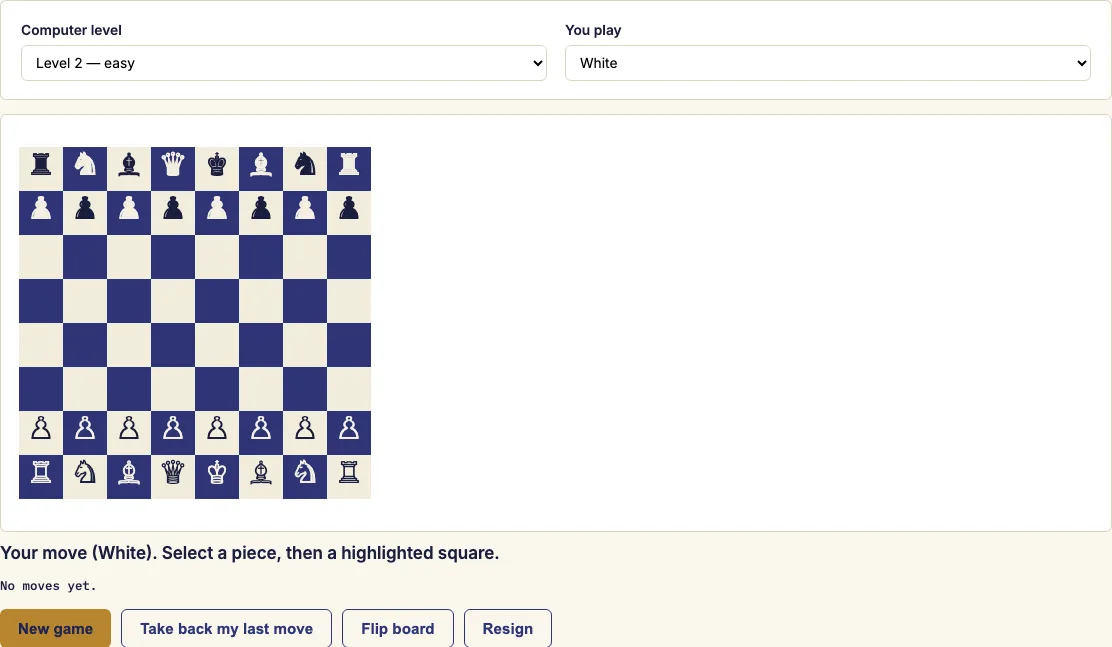
Using the game controls
- Choose your colour (or random) and a computer level from 1 (beginner) to 5 (hardest). The game starts at once.
- Click one of your pieces, then click a highlighted square to move it. On a phone, tap a piece and then a highlighted square.
- Wait a moment while the computer replies. The status line shows whose turn it is.
- Before each move, check what your last move allowed: does the computer now have a capture or a check?
- Press "Take back my last move" to undo your move and the computer's answer.
- Press "New game" to start again, or "Resign" to end the current game.
"Flip board" turns the board around, so you can view the position from the other side. The board shrinks to fit narrow screens, so the same controls work on a phone.
Level 1 is a gentle opponent for beginners, and each step up searches more deeply than the one before, so level 5 is the strongest setting here. If you are new to chess, start on level 1 or 2 and move up only when you win comfortably. You can also choose random as your colour, which gives you a chance to play both sides over several games.
Can you play chess against the computer for free?
Yes. The game costs nothing to use, and you do not need an account or an installation. Everything runs inside your browser on your own device, so you can start a game straight from this page.
How to play chess against the computer
Choose your colour and a level, then click a piece and click a highlighted square to move it. The computer replies after a short pause, and the status line tells you whose turn it is. Each game follows the normal rules of chess, so the best way to learn is to play, look at the position after each reply and try to understand why the computer chose its move.
Is playing chess against the computer good practice?
It can be, if you use it to learn rather than just to win. Play a move you are unsure about, see the reply, then use "Take back" and try something else. Before each move, ask what your last move allowed, because a common beginner mistake is leaving a piece open to capture or a king open to check. Start on level 1 or 2 and move up only when you win comfortably.
How strong is the computer?
The computer is a lightweight engine written in JavaScript, built to run inside a web page. It plays sensibly, and each step up the levels searches more deeply, so it becomes more careful as you go. It is not a top engine: it is far weaker than engines such as Stockfish, so even level 5, the strongest setting here, can be beaten by a good club player.
Can I play as Black?
Yes. When you start a game, choose Black as your colour, or choose random and let the game decide. "Flip board" turns the board around if you prefer to see your pieces from the other side.
Can I take back a move?
Yes. Press "Take back my last move" to undo your most recent move and the computer's answer to it. This makes it easy to try a different idea at the same point and see how the computer responds.
Does it work on a phone?
Yes. Tap one of your pieces, then tap a highlighted square to move it. The board shrinks to fit narrow screens, so the whole position stays visible. The buttons for taking back a move, starting a new game and resigning are on the same page.
Examples
Questions and answers
Does the game save if I close the page?
No. Nothing is stored or sent anywhere, so reloading the page ends the current game. Finish your game or start a new one before you leave the page if you want to keep playing later.
What happens when a pawn reaches the last rank?
It becomes a queen automatically. This version always promotes to a queen, so you cannot choose a rook, bishop or knight.
Can I see the moves I have played?
Yes. The board keeps a running move list of the game as it is played, so you can follow the moves from the start.
Can I change the level during a game?
Yes. A level change applies to the computer's next move, so you can make the game easier or harder without starting over.
Which rules does the computer enforce?
The move rules and game-end detection come from the chess.js library. Illegal moves are refused, and checkmate, stalemate and draws are detected automatically.
Is the computer opponent open source?
Yes. It uses the open-source js-chess-engine library, released under the MIT licence. The licence text is published with the site.
Can I practise one specific skill instead of a whole game?
Yes. Use the puzzle trainer to practise a particular skill, and play here when you want to practise a whole game.
Related chess tools
Updated