 ChessPuzzlePrint
Chess Opening Finder
Type, paste or play the first moves of a game and see which named opening it is, even when the moves arrive in an unusual order.
What the chess opening finder does
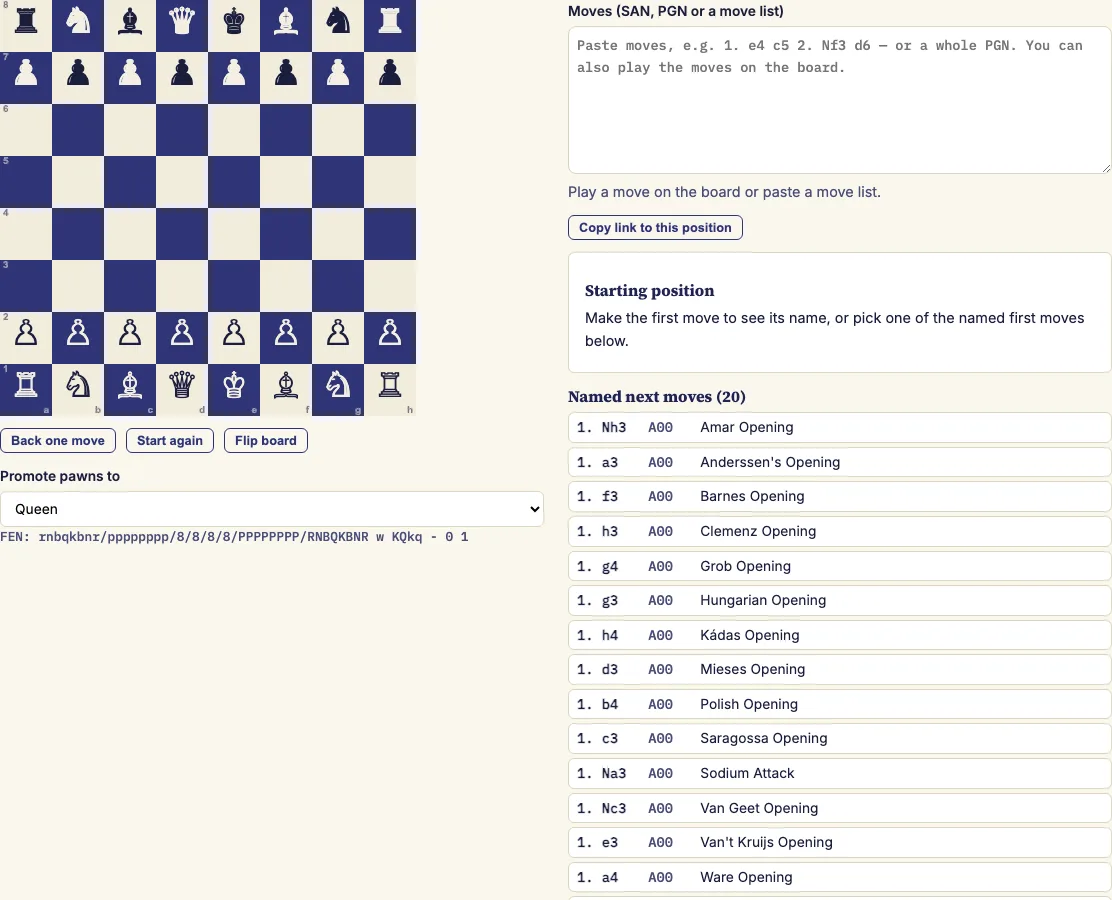
The chess opening finder is a browser-based chess opening identifier. Paste a list of moves or play them on the board, and it tells you the name and ECO code of the opening you have reached.
It checks every move against the full rules of chess and compares each position your moves reach with a catalogue of 3,800 named opening lines. It reports the deepest position that has a name, so a long game is labelled by the last named point it passed through. Moves are checked and matched in your browser, and the only download is the opening catalogue itself.
Use it after a game to find out which opening you played, or while studying to see the usual continuations and how a line got its name.
How to use the chess opening finder
- Paste your moves into the box. Plain moves (e4 c5 Nf3), numbered moves (1. e4 c5 2. Nf3) and a full PGN with headers and comments all work.
- Or play the moves on the board. Click a piece, then one of the marked squares. Only legal moves are accepted.
- Read the opening name and ECO code at the top of the results. The catalogue's own move order appears underneath.
- Click a named next move to play it, or a longer named line to play the whole line from the current position.
- Use "Back one move", or click an earlier entry under "Names along the way", to step back. The results also list the named moves available from the current position and the longer named lines that start with your moves, so you can explore an opening one click at a time, without retyping any moves.
Long algebraic moves such as e2e4 are accepted, and castling written with zeros (0-0) works too, so you can paste moves from most chess programs as they are. Variations in brackets and comments in braces are skipped, so only the main line of an annotated PGN is identified. To share your exact position, use "Copy link to this position".
What opening is this?
The chess opening finder names the opening by finding the deepest position your moves reach that is in its catalogue of 3,800 named lines. The name and ECO code at the top of the results tell you which named opening the game followed most closely.
Some games leave the catalogue early. When the result says the game left it after a certain move, the moves after that point do not reach any named position, but the name still describes the opening that was played.
What is a chess opening?
A chess opening is the set of moves played at the start of a game, when both sides develop their pieces, contest the centre and usually prepare to castle. Many openings have names, often taken from a place or a player, and these names are standard across books and databases.
The Encyclopaedia of Chess Openings sorts openings into five volumes, A to E, with 500 codes from A00 to E99. Each code is a short label, such as B20, that groups related openings. One code usually covers several named lines, and the ECO codes list on this site shows all of them.
How does the opening finder name a line?
The finder plays your moves with full rule checking, looks up each position reached in the catalogue, and reports the deepest one that has a name. A long game is therefore identified by the last named point it passed through. Every name the game passed on the way appears under "Names along the way".
Positions are compared exactly: the same pieces on the same squares, the same side to move, and the same castling and en passant rights. Named lines stop at a certain depth, so once a game goes past the last named position, later moves cannot add a new name. A PGN with a FEN tag is read from that set-up position instead of the start of the game.
Does it recognise transpositions?
Yes. The finder compares positions rather than move orders, so two games that reach the same position by different routes receive the same name. For example, 1. Nf3 d5 2. d4 gets the same name as 1. d4 d5 2. Nf3.
The result shows the catalogue order so you can see the usual route to the named position. Unusual first moves often have no name of their own until a later move transposes into a known position, so keep adding moves.
Examples
Questions and answers
Can I paste a PGN from a chess program?
Yes. A full PGN with headers and comments works. Only the main line is identified, because variations in brackets and comments in braces are skipped.
Why does the result say the game left the catalogue?
It means the moves after that point do not reach any named position in the catalogue. The name shown still describes the opening that was played up to that point.
Why does my opening show no name?
Unusual first moves often have no name until a later move transposes into a known position. Keep adding moves and check the "Names along the way" list to see whether a name appeared.
Do I need to know the opening's name first?
No. Paste the moves or play them on the board, and the finder works out the name and ECO code. You do not need to know the opening beforehand.
Can I start from a position other than the opening?
Yes, if the PGN has a FEN tag. The finder then reads the moves from that set-up position and looks up the positions reached from it, which can still match a named line if the position occurs in one.
Do my moves leave my browser?
No. Moves are checked and matched in your browser, and the only download is the opening catalogue itself.
Related chess tools
Open-source components used by this tool: chess.js (BSD-2-Clause); chess-openings catalogue (CC0-1.0).
Updated