 ChessPuzzlePrint
Chess Diagram Setup and Generator
Paste a FEN and get a clear, print-ready chess diagram you can download as a PNG or SVG — with coordinates, board colours and a caption of your choice.
What the chess diagram generator does
The chess diagram generator does chess diagram setup from a FEN, the standard text code for a chess position, and turns it into a clean board image for documents, slides and print layouts. Paste a FEN, check the validation message, style the board and download a PNG or SVG. It runs in your browser, and validation and drawing happen on your own device.
Chess diagram setup means entering a position and choosing how the board looks. This page covers both steps, so you can go from a text position to a finished image. The same job is also called a chess diagram maker, a chess diagram editor, a chess position image or FEN to PNG, and this page covers each of those names.
How to use the chess diagram generator
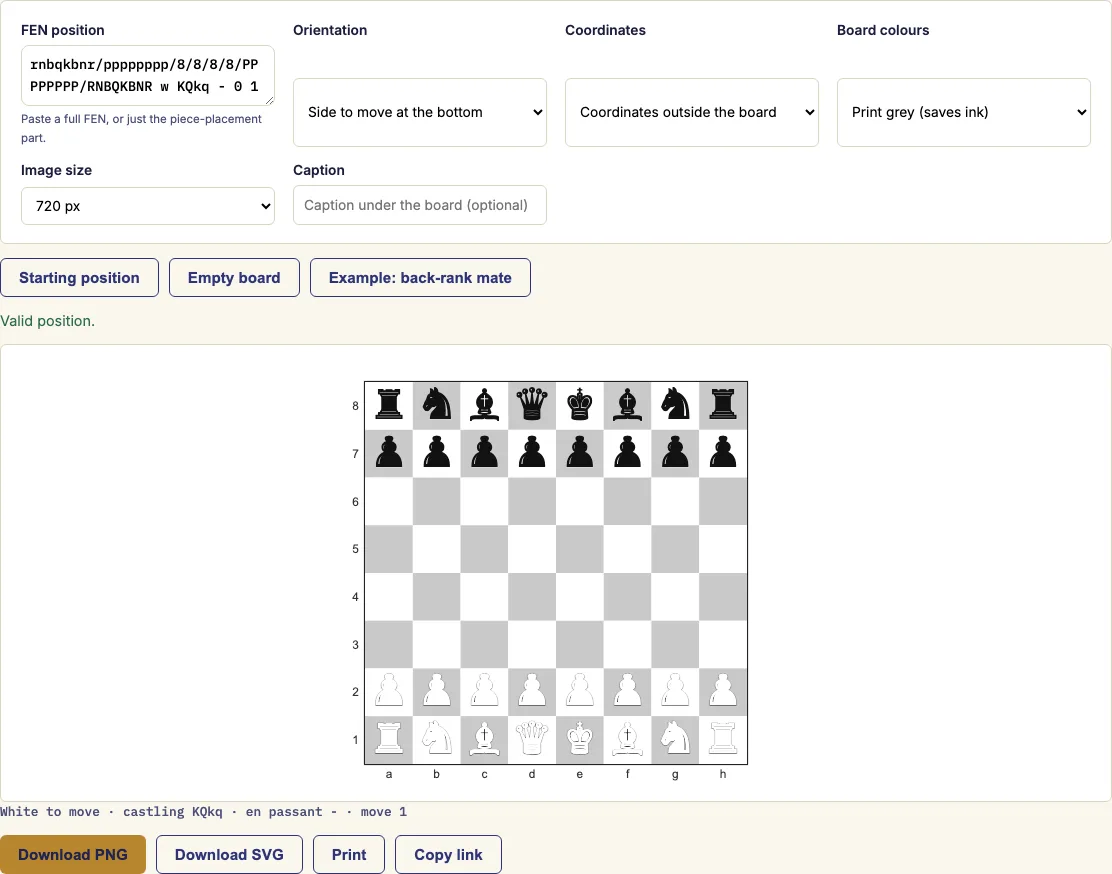
- Paste a FEN into the box. You can also press a quick-start button for the starting position, an empty board or an example.
- Read the validation message. It tells you whether the position is valid and, if it is not, what is wrong.
- Choose the orientation: side to move at the bottom, White or Black. Then choose where the coordinates go and a board colour scheme.
- Add a caption if you want one under the board, and pick the image size for PNG export.
- Download the PNG or SVG, print the page, or copy the link to reopen the same diagram later.
For worksheets, choose the "Print grey" colours and place the coordinates outside the board. The grey scheme uses little ink. The line under the board shows whose move it is, the castling rights and the move number from your FEN, so check that line against your source.
Work through the steps in order. The validation message comes before the styling, so a wrong position is caught before you spend time on colours and captions. If the message says the position is invalid, fix the FEN before you change anything else. Copying the link keeps the position and settings together, so you can reopen the same diagram later without retyping the FEN. The diagrams you make here are free to use in your own books and courses, including ones you sell.
How do I make a chess diagram from a FEN?
A FEN is a single line of text that records a full chess position. The tool reads that line, draws the board and places each piece on the square it describes.
The first field lists the pieces rank by rank, starting with the eighth rank and separating ranks with slashes. Letters are pieces (uppercase for White, lowercase for Black), and a number stands for that many empty squares. The starting position is rnbqkbnr/pppppppp/8/8/8/8/PPPPPPPP/RNBQKBNR w KQkq - 0 1. The remaining fields give the side to move, castling rights, any en passant square and two move counters. You can paste the full FEN or only the piece-placement part.
How do I set up a chess diagram?
Setup happens in two stages: first the position, then the appearance. Get the position right before you change any styling, because the validation message is what tells you the board is correct.
The validator uses the chess.js library. It checks the structure of all six FEN fields and checks the position itself, for example that each side has exactly one king. Once the message reads valid, choose the orientation, which decides whether White or Black sits at the bottom, and then the coordinate position and colours.
Can I download it as PNG or SVG?
Yes. PNG is a fixed-size image, and a width of 1080 px or more suits slides. SVG is a scalable vector file that stays sharp at any size, so it works better for posters, books and print layouts.
The tool draws the pieces with its own embedded font, so a downloaded file looks the same on every device. The font is licensed under the SIL Open Font License, which allows commercial use and embedding without attribution in images. The board and pieces are generated by the tool rather than copied from another site's piece set.
Can I use the diagrams in a book or worksheet?
Yes. The font licence allows commercial use and embedding in images without attribution, so a diagram can sit in a printed book or a classroom sheet. Use SVG for the best print quality at any size.
For a worksheet, choose the "Print grey" colours and coordinates outside the board so that students can read the squares without spending much ink. If you need many diagrams on one page, the diagram sheet maker takes a list of FENs and lays them out together.
Examples
Questions and answers
Why does the tool say my FEN is invalid?
The validator checks each of the six fields and the position itself. The most common cause is a side with no king or with more than one king. The message tells you what is wrong, so correct that part and paste again.
Can I paste only the piece placement?
Yes. You can paste a full FEN or only the piece-placement part, which is the first field. Check the line under the board to confirm the side to move, castling rights and move number.
Does my FEN leave my device?
Validation and drawing happen in your browser. The tool draws the pieces with its own embedded font, so the image is built on your device.
Will the diagram look the same on another device?
Yes. The piece font is embedded in the downloaded file, so it looks the same on every device. For documents that will be printed or enlarged, use SVG so the edges stay sharp.
Is there a quick way to start?
Yes. Press a quick-start button for the starting position, an empty board or an example, then edit the FEN from there.
Can I print the diagram?
Yes. Print the page directly, or download the PNG or SVG and place it in your document. For worksheets, choose the Print grey colours.
Can I use the chess diagrams in my KDP book, course or website?
Yes. The PNG and SVG diagrams you make are royalty-free for personal and commercial use, including KDP chess books, paid courses, Etsy printables, Teachers Pay Teachers and websites. The pieces use an open-licence font that is already embedded in the image. No credit is required, and the only thing you may not do is copy this generator itself to run a competing service.
Related chess tools
Updated