 ChessPuzzlePrint
Chess Board Numbers and Letters Trainer
A square name appears — click that square. Timed rounds of 15, 30 or 60 seconds, from White’s side, Black’s side or both.
What do the numbers and letters on a chess board mean?
A chess board number and letter pair is a square name: a letter from a to h for the column and a number from 1 to 8 for the row, such as e4. This chess coordinates trainer drills those names so you can find any square without counting.
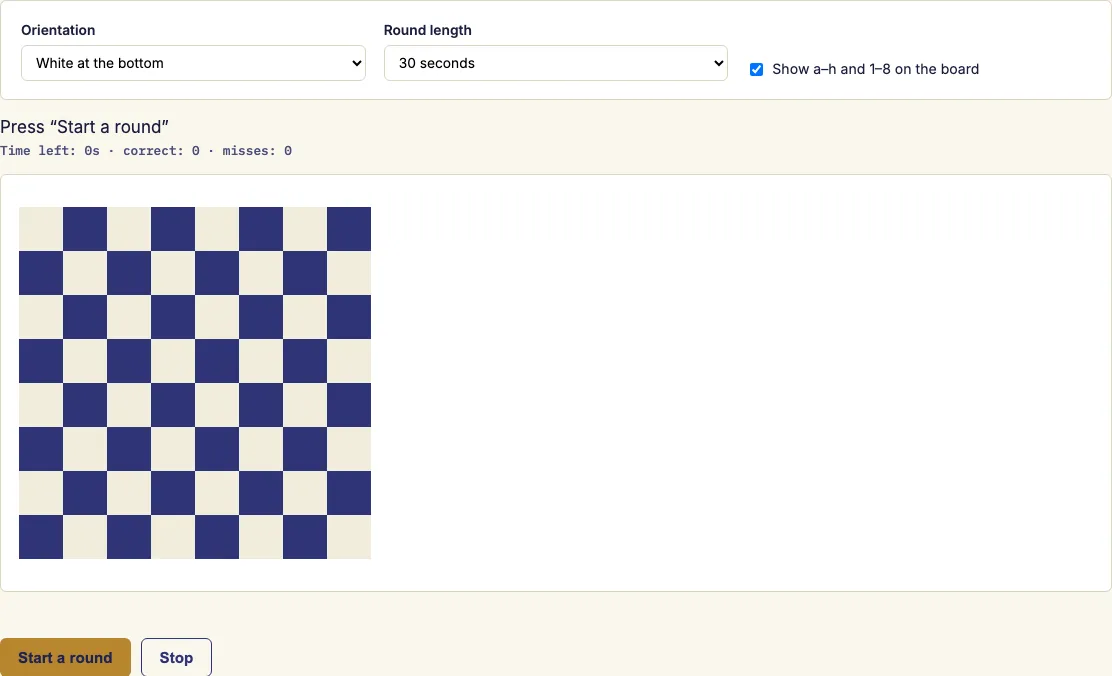
The trainer runs in your browser. A square name appears in large type, and you click that square on the board as quickly as you can. Each round lasts 15, 30 or 60 seconds, and at the end you see your score and accuracy. Labels can stay on while you learn, then switch off for a real test. Chess books, game scores and puzzle diagrams all use these names, so the trainer helps anyone who wants to learn chess coordinates and read chess notation more easily.
How to use the chess coordinates trainer
- Choose which side is at the bottom: White, Black, or random for each round.
- Choose a round length: 15, 30 or 60 seconds.
- Leave the labels on while you are learning, then switch them off for a real test.
- Press "Start a round" and click each square as it is named. A correct click turns the square green and gives you a new name. A wrong click flashes red and counts as a miss.
- Read your score and accuracy at the end, then go again to beat your best.
You can also use the keyboard. Press Tab to move between squares, then press Enter or Space to choose one. Every square has a label, so screen readers can announce it. Your score and accuracy both appear at the end, so you can tell whether speed or misses held you back.
Score and accuracy are shown together at the end of each round. The best score for each round length is kept in this browser, so every length has its own record to beat. Random puts a different side at the bottom for each round, which is a quick way to practise both views of the board. A 15-second round makes a short warm-up, while a 60-second round gives a fuller test.
What are the numbers and letters on a chess board?
The letters and numbers are coordinates that name every square on the board. Columns are called files and are lettered a to h from White's left to right. Rows are called ranks and are numbered 1 to 8 from White's side.
A square is named by its file followed by its rank. So a1 is the corner nearest White's left, e4 is in the centre, and h8 is on the far side. From Black's side the board is turned round: a1 is in Black's top-right corner and the files run from h to a. White's pieces start on ranks 1 and 2, and Black's on ranks 7 and 8. The white king starts on e1 and the white queen on d1. The black king starts on e8 and the black queen on d8.
Which squares are light and which are dark?
Squares alternate in colour across the board. a1 is a dark square and h1 is a light one, so with White at the bottom the bottom-right corner is light. Knowing one square's colour lets you work out its neighbours: b1 is light, and a2 is light too.
What does the trainer actually drill?
The trainer drills exactly one skill: turning a square name into the square on the board. A name appears in large type, and you click the square as fast as you can. If you have to count squares to find f6, reading anything gets slow, so the aim is to make each name automatic.
How to learn chess coordinates
Start with the squares that anchor the board: a1, h1, a8, h8, d4, d5, e4 and e5. Once you know these, you can work out nearby squares from a landmark instead of counting from the edge of the board.
Practise both orientations. Many players learn only one view of the board and become slower when it is turned. Keep labels on until you reach about 25 correct in 30 seconds, then turn them off.
Notation such as "Nf3" or "Qxh7+" names squares by their coordinates. Reading a game or puzzle becomes slow if you have to count squares to find each one. Once the squares are automatic, you can follow the moves without stopping to work out where each one lands.
Examples
Questions and answers
Is a1 a light or dark square?
a1 is a dark square. Squares alternate in colour across the board, so you can check any square's colour by comparing it with a1.
Why learn coordinates?
Counting squares to find each one takes time and attention away from the position. Knowing the names by sight lets you read moves and diagrams as you go.
Can I practise from Black's side?
Yes. Choose Black for the bottom of the board, or random to get a different side each round. Many players are slower when the board is turned, so practise both.
When should I switch the labels off?
Once you reach about 25 correct in 30 seconds, switch the labels off. Leave them on while you are still learning the names.
Do I need to install anything?
No. The trainer runs in your browser, so there is no app to download.
Is there an official benchmark for my score?
No. Compare your score with your own best for the same round length. The page keeps that best score for you.
Does a wrong click cost time?
No time is lost, but a wrong click counts as a miss and lowers your accuracy.
Is my best score saved?
Yes, but only in this browser. Clearing site data or switching devices resets it.
Related chess tools
Updated