 ChessPuzzlePrint
Best Chess Move Calculator
Paste a FEN, or click pieces onto the board, and the calculator shows the move its engine likes best, with an evaluation from White’s point of view.
What the best chess move calculator does
The best chess move calculator shows the best move for the side to move in any legal chess position, so it answers the question "what move next?" It is free and uses a chess engine that runs inside your browser. You set up a position by pasting a FEN or PGN, or by editing the board, then press Find best move. The engine is js-chess-engine, an open-source MIT engine, and the search runs on your own device. It looks only a few moves ahead, so it suits checking tactics, hanging pieces and blunders rather than planning long strategies.
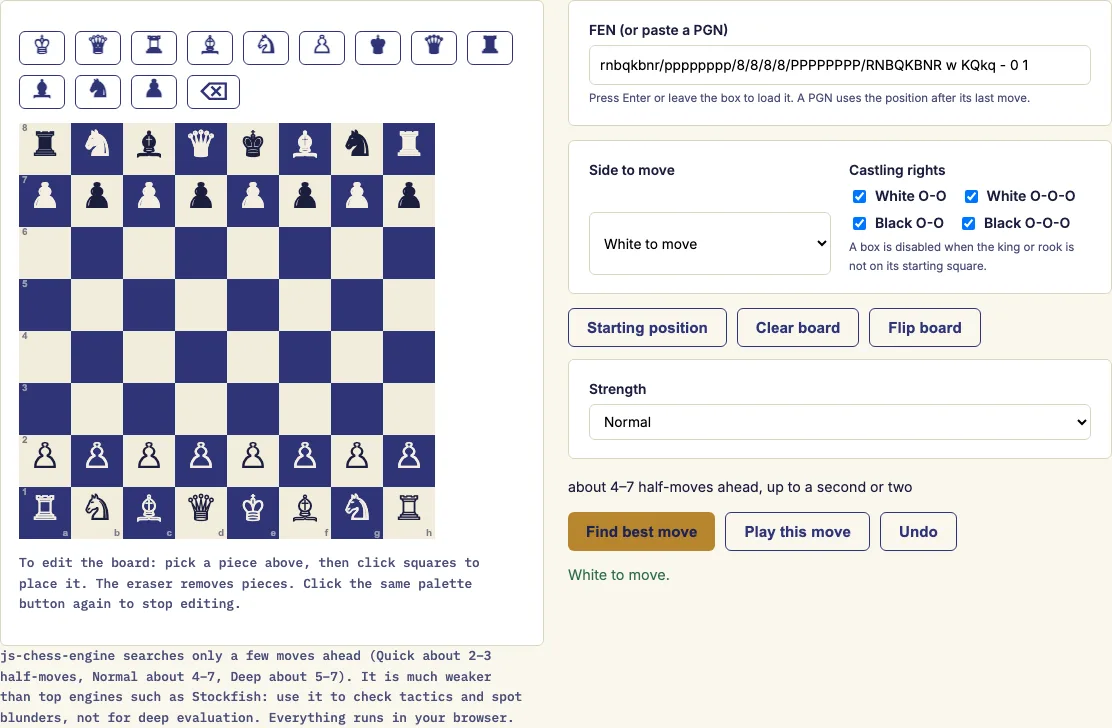
How to use the best chess move calculator
- Set up the position. Paste a FEN into the box labelled 'FEN (or paste a PGN)'. Or press 'Starting position' or 'Clear board', then pick one of the 12 pieces or the Eraser in the palette and click squares.
- Choose 'Side to move': White to move or Black to move.
- Set the four 'Castling rights' boxes (White O-O, White O-O-O, Black O-O, Black O-O-O). A box is switched off when the king or rook has already left its starting square.
- Pick a 'Strength': Quick, Normal or 'Deep — slower'.
- Press 'Find best move'. Deep can take a few seconds, and the page waits while it thinks.
- Read the answer, shown as 'Best move for White' (or Black) in standard notation. The move's squares are highlighted on the board. Then check the evaluation and the other candidate moves.
- Press 'Play this move' to make the move on the board, then press 'Find best move' again to get the answer for the other side. Press 'Undo' to take moves back one at a time.
'Flip board' turns the board around if you are playing from the other side. The address bar keeps the position as ?fen=, so a copied link reproduces the same position.
What is the best move in this position?
The calculator names the best move for the side to move. The answer appears in standard notation, and the move's squares are highlighted so you can see where the piece goes. Because the engine works only from legal moves in the position you set up, every suggestion is playable in that exact position.
How does a chess move calculator work?
A move calculator tries the legal moves, then the replies to them, a few half-moves deep. A half-move (ply) is one move by one side, so depth 4 means two moves by each side. This tool uses a negamax search with alpha-beta pruning, which skips lines that cannot beat a move it has already found, so the search finishes sooner. Each final position is scored by material and piece-square tables, which give the value of where each piece stands. The engine then picks the move with the best score for the side to move.
How strong is this engine?
js-chess-engine is much weaker than top engines such as Stockfish. It looks only a few moves ahead, so it can miss long plans and slow strategic ideas. Use it to check tactics, hanging pieces and blunders. For deep strategic positions, treat its move as one opinion rather than a verdict.
Can I paste a FEN or a PGN?
Yes. A FEN is a one-line code that describes a position, and you paste it into the 'FEN (or paste a PGN)' box. A PGN is a full game record, and the page uses its final position. To study an earlier moment in a game, paste the FEN for that moment instead. You can also build the position by hand on the board.
What does the evaluation number mean?
The evaluation is the engine's score for the position, seen from White's point of view. A positive number means White is better, a negative number means Black is better, and a number near 0.00 means the position is roughly equal. The unit is pawns, so about 1.00 is one pawn of advantage. The score comes from material and piece placement, so treat it as a rough guide rather than an exact result.
Is it free and does it upload my game?
Yes, the tool is free, and nothing is uploaded. The search runs on your device inside your browser, so the position you set up stays on your computer.
Examples
Questions and answers
What does "Forced mate for White" mean?
It means the engine has found a forced checkmate for that side, so it shows this message instead of a number. A mate in one is double-checked with the chess.js rules library before it is shown.
Why are the other candidate moves shown with "at most" or "at least"?
The engine calculates the exact score only for its best move. The other candidates get a limit instead, "at most" or "at least", and their order is only a rough guide.
Which Strength should I choose?
Use Quick for a fast check and Normal for most positions. Choose 'Deep — slower' when you want a closer look, since it searches 5 to 7 half-moves and can take a few seconds. The engine searches deeper when few pieces or few legal moves are left.
Why won't the page search my position?
The page refuses illegal positions and shows a message. Examples include a missing king, a pawn on the first or last rank, kings standing next to each other, or the side not to move being in check. If the position is already checkmate or stalemate, the page says so and does not search.
Why are some castling boxes switched off?
A castling right is lost once the king or the relevant rook has left its starting square. The page switches the matching box off automatically, so you do not need to change it yourself.
Can I use the tool to play against the computer?
This page only finds the best move for the side you choose. For playing a full game against the computer, use the play page listed below.
Related chess tools
Open-source components used by this tool: js-chess-engine (MIT); chess.js (BSD-2-Clause).
Updated